Case study 10 · Photoshop compositing
Nuo Mi Cat Portrait
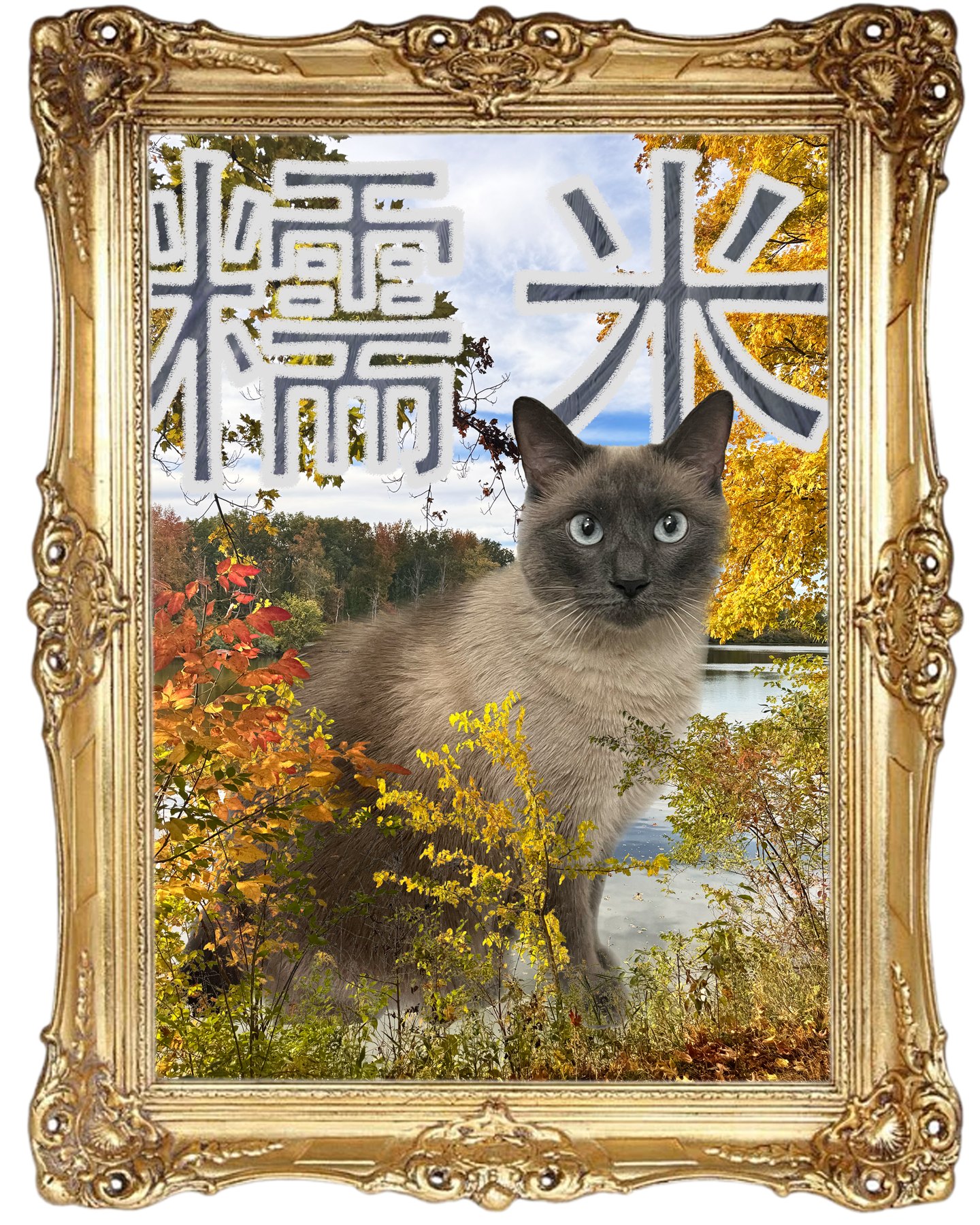
A characterful portrait that places my cat into a photographed outdoor scene with depth, framing, and textured Chinese type.
Brief
For a portrait-compositing assignment, I chose my cat, Nuo Mi, as the subject. I used a photograph I took in a park for the setting, removed the cat’s original background, and positioned her inside the new scene.
Building depth
Branches placed in front of the subject establish foreground depth while the park photograph provides a softer background. A vintage-style frame makes the composition read as a keepsake portrait rather than a simple cutout. The Chinese lettering names the cat and adds a tactile, playful contrast to the formal frame.
Technique & credit
I followed an online Photoshop tutorial for the fluffy-text effect used in the cat’s name. The overall portrait composition, image selection, masking, and layering are my course work; the lettering effect was learned from that tutorial, not independently invented.